
PersonAIble Review 2026: Pricing, Features & Alternatives
Is PersonAIble a practical way to create personalized AI video outreach—or another launch product with costly upgrades? This guide examines the workflow, buyer fit, pricing questions, limitations, and alternatives.
Quick verdict
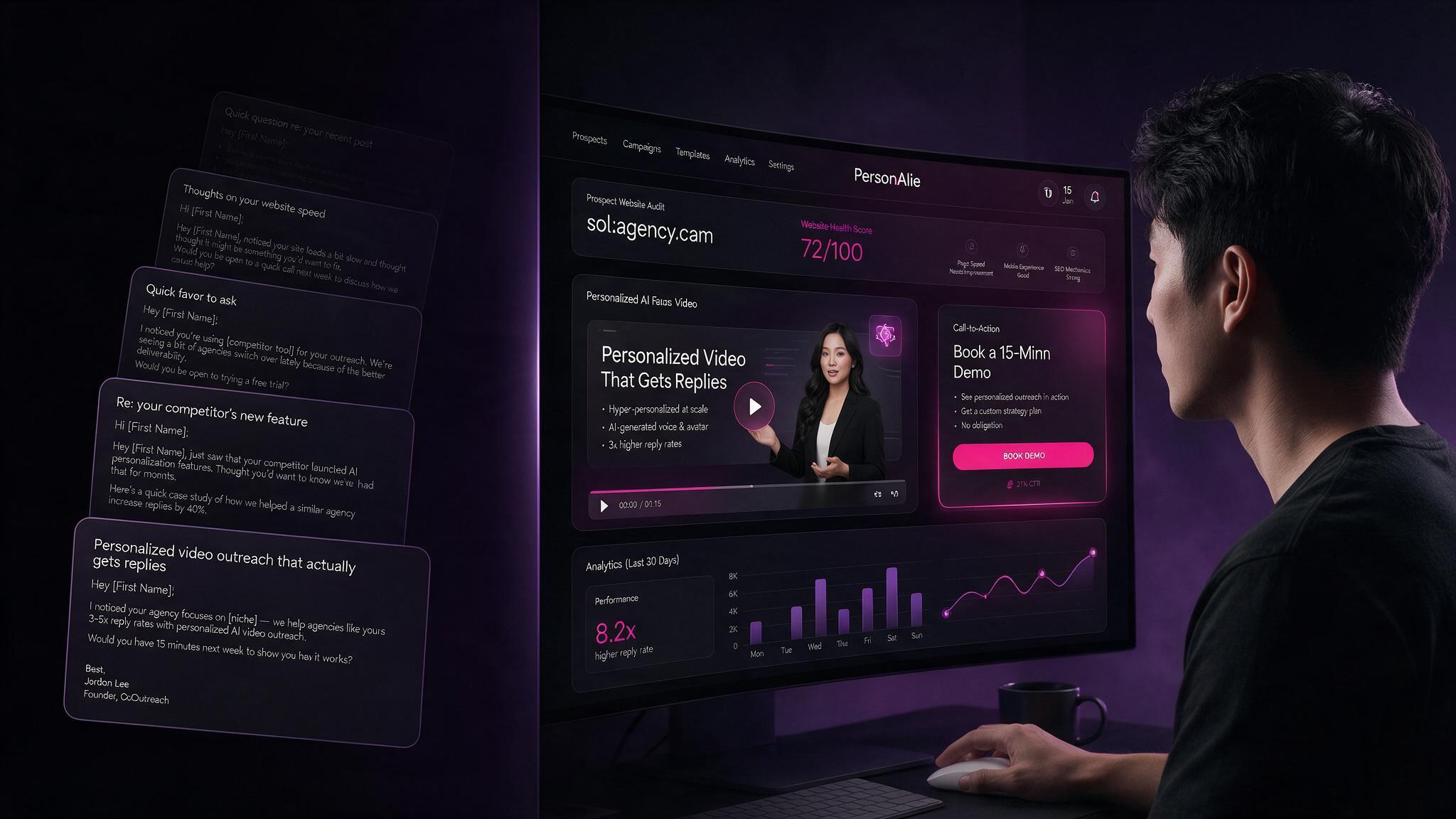
PersonAIble appears best suited to solo agencies, freelancers, and small sales teams that want to test personalized video outreach without manually recording every prospect video. Its core appeal is the combination of an AI presenter, prospect-specific context, and a shareable call-to-action page.
It is not a substitute for targeting, a credible offer, ethical outreach, follow-up, or sales skill. Buyers should calculate the complete cost of the plan and upgrades before deciding whether this workflow is better for them than Loom, Sendspark, Vidyard, HeyGen, or another established option.
What is PersonAIble?
PersonAIble is presented as an AI-assisted personalized video outreach application. Instead of sending the same generic text pitch to every prospect, the intended workflow is to create a video that references the individual prospect and presents a relevant offer.
Product materials describe a workflow involving an AI presenter, prospect-related screen content, a hosted video page, and a call to action. Confirm feature availability, usage limits, pricing, and upgrade requirements on the official checkout page before purchasing.
How the workflow works
Select a prospect
Choose a business whose website or marketing problem you can genuinely understand and address.
Prepare the message
Explain one visible issue, its consequence, and one practical recommendation.
Generate the video
Use the AI-assisted presenter and personalization workflow to create the prospect-specific message.
Review the output
Check names, pronunciation, claims, website rendering, tone, and visual quality before sending.
Share the page
Send the hosted page through an appropriate channel with a clear, honest next step.
Track outcomes
Measure replies, calls, sales, refunds, and actual cost per customer—not only video views.
What should buyers evaluate?
Personalized AI video creation
The main attraction is producing prospect-specific videos faster than recording each one manually. That can help an agency demonstrate that it reviewed a prospect’s website, local profile, or funnel.
- Does the AI presenter look natural at normal playback speed?
- Can names and company details be corrected?
- How much of the script can be edited?
- Does the output feel personalized or merely use name substitution?
Prospect website context
Showing a prospect’s own website can make a short audit more concrete. The screen content must be accurate, legible, current, and used respectfully.
- Use one genuine observation instead of inventing a problem.
- Do not expose private information.
- Do not claim an audit was completed when it was not.
- Use a short recommendation that demonstrates competence.
Hosted page and call to action
A hosted page can give a prospect one place to watch the video and choose the next step. Check whether the plan supports custom branding, a custom domain, analytics, and a calendar link.
Pros and cons
Potential advantages
- More distinctive than a generic text pitch.
- Useful for short prospect audits and agency demonstrations.
- May reduce repeated manual video-production work.
- Can create a clear next step for the recipient.
- Potentially useful for agencies selling personalized outreach as a service.
Important limitations
- AI video does not guarantee replies or sales.
- Weak targeting still creates weak outreach.
- AI mistakes can damage trust if outputs are not reviewed.
- Full functionality may require upgrades or recurring fees.
- Privacy, email, and platform rules still apply.
- Newer products may have less independent review data.
PersonAIble pricing: what to check
The entry price is only one part of the decision. Calculate the first-year cost based on the features you genuinely need.
| Pricing question | Why it matters | What to verify |
|---|---|---|
| What is included in the core plan? | Entry pricing may include usage or feature limits. | Credits, presenters, pages, storage, and exports. |
| Is there an unlimited plan? | Agencies may need predictable production costs. | Recurring price and fair-use limits. |
| Is rebranding included? | Client-facing delivery may require agency branding. | Custom logo, domain, pages, and vendor-brand removal. |
| Are extra presenters separate? | Different niches may need different voices or presenters. | Available options and commercial rights. |
| What is the refund policy? | New software should be tested before a larger commitment. | Refund period, conditions, and support process. |
Pricing and features can change after launch. Verify the checkout page before publishing fixed prices.
PersonAIble versus alternatives
Compare tools by workflow, not hype. The right option depends on whether you value AI presenters, real recordings, analytics, integrations, interactive demos, or a lower-cost experiment.
| Tool | Best fit | Main strength | Main tradeoff |
|---|---|---|---|
| PersonAIble | Solo agencies testing personalized outreach | AI-assisted prospect-specific video workflow | Verify maturity, limits, and complete cost |
| Loom | Low-volume personal outreach | Fast real screen and webcam recording | Manual production for each prospect |
| Sendspark | Teams using sales personalization workflows | Personalized video and sales features | Recurring cost and setup requirements |
| Vidyard | Organizations needing video analytics | Hosting, CTAs, analytics, and sales workflows | May be excessive for a solo operator |
| HeyGen | AI avatars and multilingual video | Avatar and video-generation capabilities | May require separate prospecting tools |
| Supademo | Interactive product demonstrations | Clickable product walkthroughs | Better suited to demos than cold outreach |
How agencies can use it responsibly
- Choose one niche, such as dentists, roofers, accountants, or local software companies.
- Review the prospect’s public website and marketing presence.
- Identify one specific issue affecting visibility, trust, or conversions.
- Create a short explanation with one useful recommendation.
- Invite the prospect to a consultation or offer a small next step.
- Follow up respectfully and stop contacting people who do not engage.
- Track qualified conversations and booked calls—not only video views.
Affiliate link. Confirm current pricing, limits, and refund terms before purchasing.
Who should buy PersonAIble?
Who should avoid it?
- Anyone expecting software alone to create guaranteed income.
- Anyone planning to send mass messages without researching prospects.
- Teams needing mature enterprise controls without verifying availability.
- Buyers unwilling to review names, claims, pronunciation, and visuals.
- Agencies that cannot explain a genuine benefit after the video is watched.
Testing checklist before publishing a final verdict
Add your own evidence after testing the software. Do not label the page “hands-on tested” until you have completed this checklist.
- Time needed to create the first complete video.
- Time needed to create the fifth complete video.
- Video quality on desktop and mobile.
- Accuracy of prospect names, companies, websites, and claims.
- AI presenter voice and lip-sync quality.
- Script, voice, and CTA editing options.
- Page branding, custom domain, analytics, and calendar options.
- Usage limits and first-year cost after upgrades.
- Support response and refund process.
- Results from a small, documented outreach test.
Frequently asked questions
What is PersonAIble used for?
PersonAIble is positioned as an AI-assisted personalized video outreach tool for creating prospect-specific video messages and directing recipients toward a next step.
Is PersonAIble an email marketing platform?
A personalized video tool and an email-sending system are different things. Verify whether the selected plan includes sending, tracking, integrations, or only video and hosted-page creation.
Is PersonAIble suitable for agencies?
It may suit solo agencies and small teams that want personalized audits or pitches, subject to checking commercial rights, branding controls, usage limits, client delivery options, and recurring costs.
Does PersonAIble guarantee more sales?
No. Results depend on targeting, offer quality, personalization accuracy, deliverability, follow-up, market demand, and sales execution.
What are the main PersonAIble alternatives?
Depending on the workflow, alternatives may include Loom, Sendspark, Vidyard, HeyGen, and Supademo. Compare personalization, recording method, analytics, integrations, branding, pricing, and ease of use.
Should I buy the upgrades?
Only if an upgrade solves a requirement you genuinely have, such as more usage, additional presenters, agency branding, or a custom domain. Calculate the first-year total first.
Should you try PersonAIble?
If your business depends on relevant prospecting and you are willing to review every output, PersonAIble may be worth a controlled test. Start with a small campaign, measure genuine conversations, and avoid buying upgrades before the workflow proves useful.
If you need mature integrations, extensive independent review data, or enterprise-grade controls, compare the alternatives first.
View the Official PersonAIble OfferAffiliate link. Verify the current offer, pricing, terms, and refund policy on the vendor’s page.